Use textured materials to render a texture on a mesh. In Kanzi you can use textured materials with:
- Single textures use a single image for the texture.
- Cubemap textures combine six square-shaped images into one texture to represent reflections of the environment. Each image represents the scenery in one of the six directions along the x, y, and z axes from the viewpoint of the cubemapped object.
Creating a textured material
To create a textured material:
- Create a texture. See Using single textures.
- Create or use a material which uses a material type that supports textures. See Using material types and Using materials.
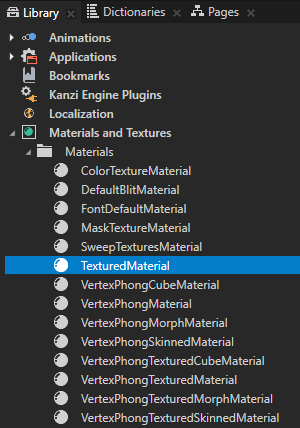
For example, use the TexturedMaterial or VertexPhongTexturedMaterial. - In the Library > Materials and Textures > Materials select the material.
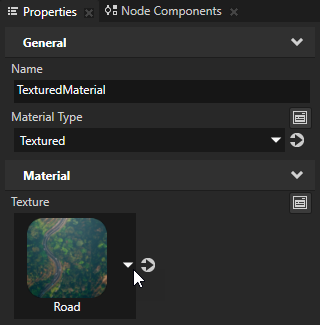
- In the Properties set the Texture property to the texture you want to use in the material.
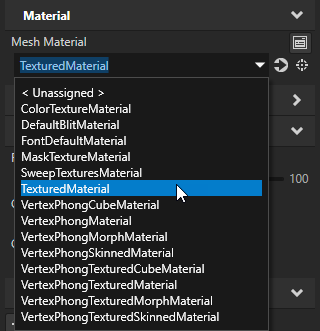
- In the Project select the node on which you want to use the textured material and in the Properties set the Material property to the textured material.
Creating a cubemap textured material
To create a cubemap textured material:
- Create a cubemap texture. See Using cubemap textures.
- Create or use a material which uses a material type that supports cubemap textures. See Using material types and Using materials.
For example, use the VertexPhongTexturedCubeMaterial. - In the Library > Materials and Textures > Materials select the material.
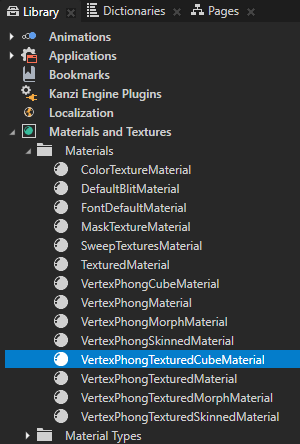
- In the Properties set the TextureCube property to the cubemap texture you want to use in the material.
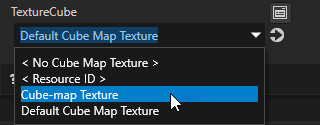
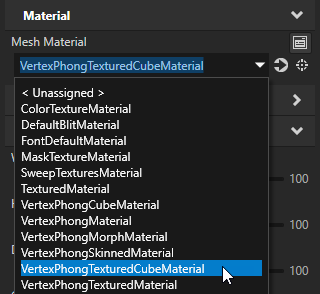
- In the Project select the node on which you want to use the cubemap textured material and in the Properties set the Mesh Material property to the cubemap textured material.